Thermostats: Smart Options for Modern Comfort
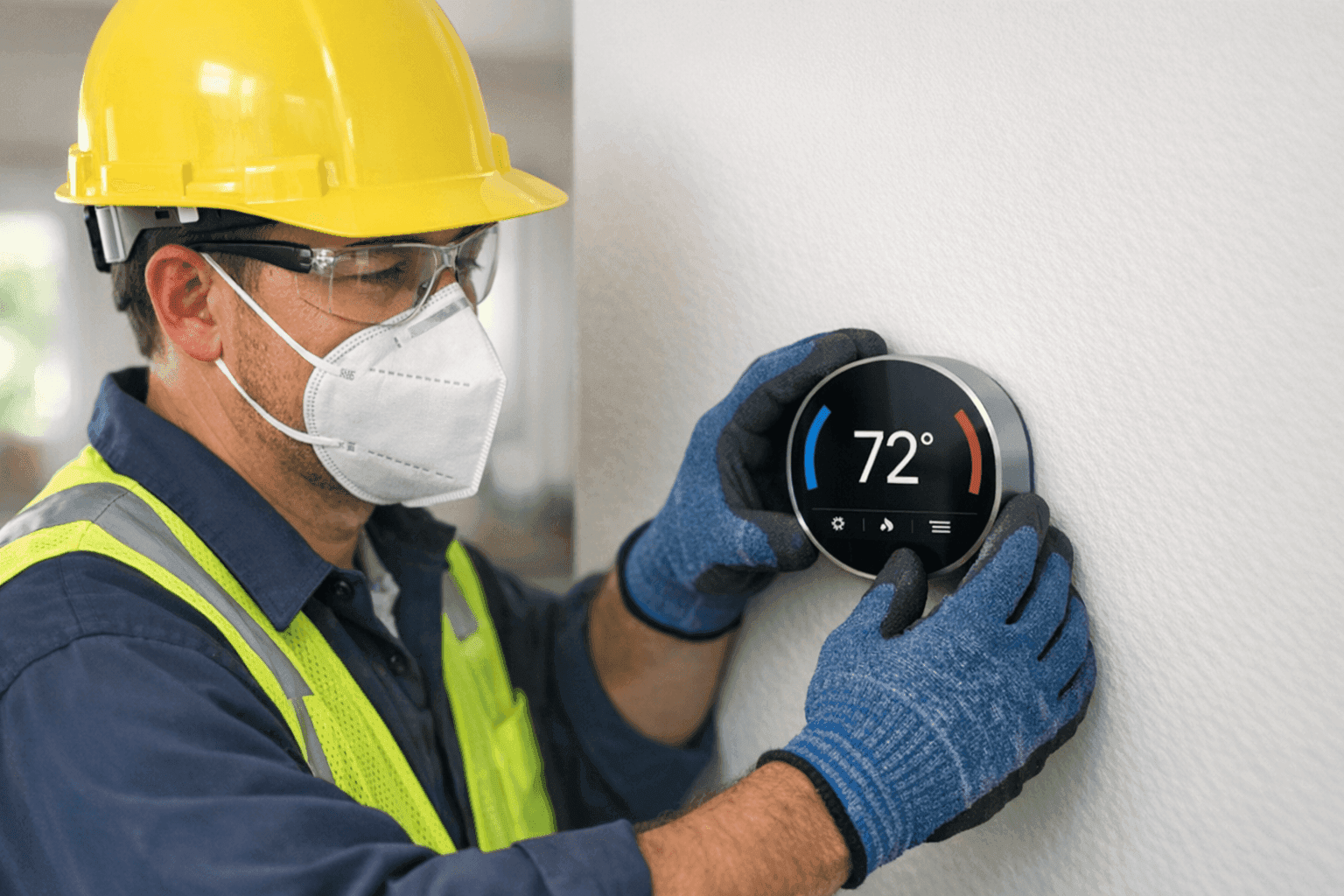
When the temperature inside swings wildly between too hot and too cold, comfort disappears. You shouldn’t have to chase the perfect indoor climate—your thermostat should do the work for you. At Best Indy HVAC, we know the right thermostat can mean lower energy bills, less stress, and a home or business that simply feels right every time you walk in.
Choosing a thermostat used to be simple. Now, there are programmable, WiFi, and smart learning models—each promising better control and savings. How do you pick? Let’s break down your options, clear up the confusion, and help you find the perfect balance of comfort and efficiency.
The Heartbeat of Modern HVAC: Why Thermostats Matter
Think of your thermostat as the conductor of your comfort orchestra. It cues the heating, air conditioning, and even air scrubbers or dehumidifiers to play in perfect harmony. When the conductor is out of sync, the whole performance falls flat—wasting energy and money.
But with tech evolving, thermostats aren’t just on/off switches anymore. They’re smart, adaptable, and can understand your patterns. The right thermostat can help you:
- Cut monthly energy costs
- Fine-tune comfort room by room
- Monitor indoor air quality
- Integrate with other smart home devices
How Smart Thermostats Work: Brains Behind the Comfort 🤖
Smart thermostats use sensors, WiFi, and sometimes machine learning to do more than just follow a schedule. They:
- Sense when you’re home or away
- Learn your habits (like when you wake up or leave for work)
- Adjust settings automatically for optimal comfort
- Connect to your phone for remote control
Some models even use weather forecasts, so your AC doesn’t overwork during a surprise cold front. According to ENERGY STAR, a properly used smart thermostat can save up to 8% on your annual heating and cooling bills.
Programmable vs. WiFi vs. Learning: Which Thermostat Fits Your Life?
Let’s compare the main types of thermostats you’ll see on the market.
Programmable Thermostats: Reliable and Simple
- Set different schedules for weekdays and weekends.
- No internet required—just set and forget.
- Perfect if your routine is predictable.
Pros: Affordable, easy to use, reliable
Cons: No remote access, limited flexibility
WiFi Thermostats: Control from Anywhere
- Connect to your home’s wireless network.
- Change settings from your phone, even while on vacation.
- Great for changing work shifts or unpredictable days.
Pros: Remote access, app control, real-time notifications
Cons: Needs WiFi, may cost more than basic models
Smart Learning Thermostats: The Genius Option
- Use sensors and AI to learn your schedule.
- Optimize settings automatically over time.
- Some models work with voice assistants (like Alexa or Google Home).
Pros: Maximum energy savings, hands-off comfort, integration with smart home systems
Cons: Higher upfront cost, occasional compatibility checks needed
Top Features to Look For: What Really Matters?
Finding the right model isn’t about chasing every bell and whistle. Focus on what truly improves your comfort and savings.
Energy Reports
Many smart thermostats show you detailed energy use. It’s like getting a monthly report card for your home’s efficiency.
Geofencing
This feature uses your phone’s location to know when you’re almost home. The system adjusts the temperature so you walk in to comfort—not a sauna or an icebox.
Voice Control
Compatible with virtual assistants, voice control lets you adjust the temperature without lifting a finger. Helpful for busy kitchens or when your hands are full.
Compatibility
Not every thermostat plays nice with every HVAC system. If you have advanced systems like Geothermal, radiant heating, or mini-splits, double-check compatibility or ask a professional.
Integrating Smart Thermostats With Your HVAC System
Integration isn’t just about plugging in a new gadget. Your thermostat must communicate with your heating, cooling, dehumidifiers, and even air scrubbers.
- Modern thermostats work with most forced air and heat pump systems.
- Advanced models can control zoned systems, whole-house fans, or hvac maintenance reminders.
- For complex setups (like radiant floors or geothermal), professional integration ensures everything works together smoothly.
Installation Basics: What to Expect
Installing a thermostat can seem simple—just two wires, right? Not always. Here’s what’s involved:
- Turn off power at the breaker before starting.
- Remove the old thermostat and note wire connections.
- Mount the new unit and connect the wires according to manufacturer instructions.
- Configure the system—this can involve app setup, WiFi connection, and pairing with other devices.
DIY vs. Professional Installation
- DIY: If you’re comfortable with basic wiring and your system is straightforward, a programmable or basic WiFi thermostat can be a weekend project.
- Professional: For smart learning thermostats, zoned systems, or older wiring, call a pro. Mistakes can mean system failure, voided warranties, or even electrical hazards.
Quick Safety Checklist 🛑
- Always shut off power at the breaker.
- Use a voltage tester to double-check wires are dead.
- Follow local codes (refer to the National Electrical Code, NEC 2023 edition).
If you’re ever unsure, don’t risk it—call a licensed hvac contractor.
Real-World Scenarios: When Upgrading Pays Off
- Energy Bills Climbing: A new thermostat can help you spot waste and automate savings.
- Home Additions: Adding a sunroom, finished basement, or shop? Zoned smart thermostats can regulate temperature just where you need it.
- Frequent Travel: WiFi or smart thermostats let you monitor and adjust temps remotely, so pipes don’t freeze and bills stay low.
Common Mistakes to Avoid
- Ignoring System Compatibility: Some older systems need a “C-wire” (common wire) for power. Skipping this leads to frustration and extra trips to the breaker box.
- Poor Location: Don’t mount thermostats near windows, vents, or in direct sunlight. Placement affects accuracy—stick to interior walls away from drafts.
- Skipping Setup: Take time to enter your schedule and preferences. Out-of-the-box defaults are rarely optimal.
Signs It’s Time to Upgrade Your Thermostat
- Your current thermostat drifts off target temperatures.
- Buttons or screens stop responding.
- You want to integrate with a smart home system or remote access.
- Old mechanical models are less precise and cost you money in the long run.
Thermostat Costs & Payback: What to Expect
- Programmable: $50–$150 installed
- WiFi: $100–$250 installed
- Smart Learning: $200–$400+ installed
Most homeowners see payback in 1–3 years through lower energy bills, according to the U.S. Department of Energy.
Choosing the Right Thermostat for Your Needs
Consider:
- Your daily routine (set schedule vs. unpredictable)
- HVAC system type (forced air, heat pump, radiant, etc.)
- Smart home devices you already use
- Budget and desired features
- Need for remote access or detailed energy reports
If you’re not sure, our team can help match you with the right fit for your home or business.
Professional Installation: Why It Pays Off
HVAC wiring isn’t always straightforward. Professional installation from a qualified technician ensures:
- Safe, code-compliant connections
- Calibration for accurate temperature readings
- Full feature setup (including app integration and maintenance reminders)
- Reliable operation—no gaps between “smart” and “actually useful”
Our technicians routinely handle everything from furnace installation to advanced thermostat integration, so you get a system that works seamlessly from day one.
Seasonal Tips & Maintenance
- Change your thermostat’s batteries every year (if applicable).
- Update app software and firmware for security and new features.
- Adjust schedules for daylight saving time and seasonal changes.
- Schedule annual hvac maintenance to keep all components working their best.
Frequently Asked Questions
Will a smart thermostat work with my old furnace?
Often, yes! But check if your system has the necessary wiring (like a C-wire) and compatibility with newer models.
Can I control my thermostat if the WiFi goes down?
Most models can still be adjusted manually, but app features may be offline until the network returns.
Are smart thermostats safe for kids or pets?
Absolutely. Just keep access codes private and mount units out of reach of little hands.
For more details on smart home upgrades, talk with our team or learn about our full range of hvac services.
Ready to Upgrade Your Comfort and Savings?
The right thermostat is more than a gadget—it’s the gateway to a home or business that works smarter, not harder. Whether you want simple schedules or a fully connected system, Best Indy HVAC can help you make the switch with confidence.
Call Best Indy HVAC now — or reach us anytime at 855-525-5859 .